See which parts are profitable and which aren't.
Every project gets a health score. Green, amber, or red — visible at the moment of pricing, not at the end of the quarter.
Project-level and activity-level visibility.
Health scoring doesn't just tell you whether a project is profitable. It tells you which parts — which specific activities, roles, and line items are healthy and which need attention. A project might look fine at the top line, but one activity is priced below cost and another is carrying the whole margin.
Every project and every activity gets a color-coded health indicator the moment you build the estimate. Green, amber, or red — visible while you're still setting the price, not three months after delivery.
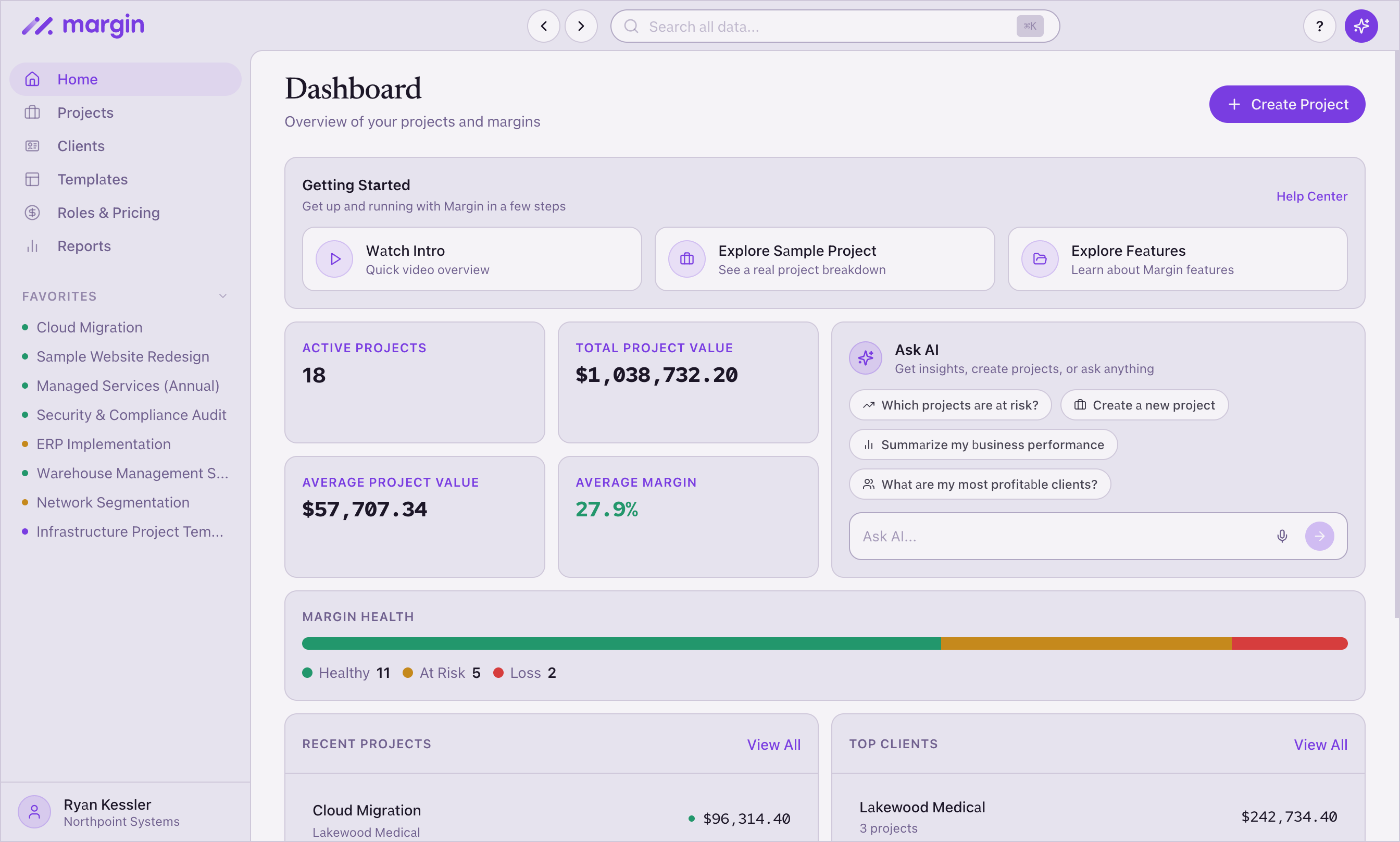
The portfolio dashboard shows health across all your projects at once. You see the full picture: how many projects are on target, how many are below, and where to look first.
Green. Amber. Red.
The health score compares your actual margin to your target margin at every level:
- Green — margin meets or exceeds your target. The price is healthy.
- Amber — margin is positive but below target. You're making money, but less than planned. Worth a look before the proposal goes out.
- Red — margin is at or below zero. This line item or project needs attention.
This applies at the project level and the activity level. So a green project might still have an amber activity inside it — and you can see that before you commit. Reports extend the view further: health by project, by client, and by role across your entire portfolio.
Visibility at the moment that matters.
See your project health before the proposal goes out.
Green, amber, or red — at the project level and the activity level.
Try Margin free